

This past spring I came across a problem that came up again this morning. Back in April I was preparing to carry the annual New Orleans Jazz and Heritage Festival live as I have for over 8-years from WWOZ, but the stream this year was only available in the AAC format and Zara, my audio player, does not handle AAC. There would have been workarounds employing VLC or Winamp, but I didn't have time to figure out how to make it work. Another choice would have been the paid version of Zara at $250, but for a hobby with no financial return that wasn't an option, so I reluctantly dropped out as a Jazz Fest affiliate. Flash forward to this morning as I tried to figure out the audio stream address for Aljazeera, the live 24-hour news site, so I turned to YouTube to learn how to extract hidden stream addresses, but when I found it, it wouldn't work in Zara. When I played Aljazeera through VLC I could see the server details, and it was AAC. This time I'm going to go the next step and learn how to connect VLC together with Zara.
A day has gone by since my last post and brings us to a second obstacle that we've encountered before.
Zara has a gimmick called 'Satellite' for bringing live audio into the playlist, which otherwise consists of pre-recorded audiofiles. Connecting to 'Satellite' is supposed to open the way for live input to Zara, but I have never been able to get 'Satellite' to do its thing. When I try to run 'Satellite' after setting it up then nothing happens.
In this present situation I am grabbing the Aljazeera AAC News Stream in a VLC Player, sending the VLC audio output by Virtual Cable 3 (VC3) to the 'Satellite' connection in Zara, but receive no audio whatsoever.
Looking at the stream connection points in the Virtual Cable Dashboard we see that it is not connecting at the input to VC3.
By accident I found a workaround that does work, but it still leaves the 'Satellite' method nonfunctional. By sending the VLC audio to VC1 the Aljazeera News audio mixes on top of the audio output from Zara and makes its way into Stereotool which is next in the chain. When doing this I need to stop Zara or we would hear two competing audios mixed together.
Of many YouTube videos about Zara, most of them in other languages, none have touched this particular matter of using 'Satellite' to input live audio.

@carl-blare On Facebook there is a Zara group just for Zara users and you can put in your question there and you will get an answer. Also on the Zara site you can view the manual.
Also contact Johny Cole in New Zealand, Rag FM. He has his one watt station and uses Zara and he helped me with Zara in the past. I have never done what you are trying to do so I don't know.
I can't link the Facebook group as it won't copy and post here.
Yes, Johny of Rag-FM has also helped me with Zara questions. Perhaps Johny will look in on this thread. I have a copy of the manual which says very little about the 'Satellite' function. The workaround that I described will suffice until a better answer is found.

Johny C to Carls rescue. To make ZaraRadio open Winamp and play the aac stream.
Create 2 .bat files in Notepad
"C:\Program Files (x86)\Winamp\Winamp" if you are running a 64bit Windows
"C:\Program Files \Winamp\Winamp" if you are running a 32bit Windows
.bat files for 32bit Windows
1. "C:\Program Files\Winamp\Winamp" /PLAY
Save it as Start Winamp.bat
2. "C:\Program Files\Winamp\Winamp" /STOPFADE
Save it as Close Winamp.bat
.bat files for 64bit Windows
1. "C:\Program Files (x86)\Winamp\Winamp" /PLAY
Save it as Start Winamp.bat
2. "C:\Program Files (x86)\Winamp\Winamp" /STOPFADE
Save it as Close Winamp.bat
Put them both in you C:/ Drive
Next Load the stream link you want to open in Winamp
Create 3 events in ZaraRadio
1.
File C:\Start Winamp.bat
Tick Immediate
High Priorty
Time you want it to start (This will open Winamp)
2.
Stop
Tick Immediate
High Priorty
Time it 1 second after the start time of the Start Winamp .bat file (This will stop the Zara playlist playing)
3.
File C:\Stop Winamp.bat
Tick Immediate
High Priorty
Time you want to end the stream (This will close Winamp and will start the Zara playlist playing again automatically)
All events must be in this order.
Ive attached the 64bit bat files
Have fun.
ZaraRadio and I have now parted ways now due to it falling over with Windows 10 updates.
Im now using a program called Salamandra. Run rings around ZaraRadio.
Can even play aac streams.
No need to install it, just unzip the folder and run it from wherever you want it.
https://github.com/ocarolino/SalamandraRadio
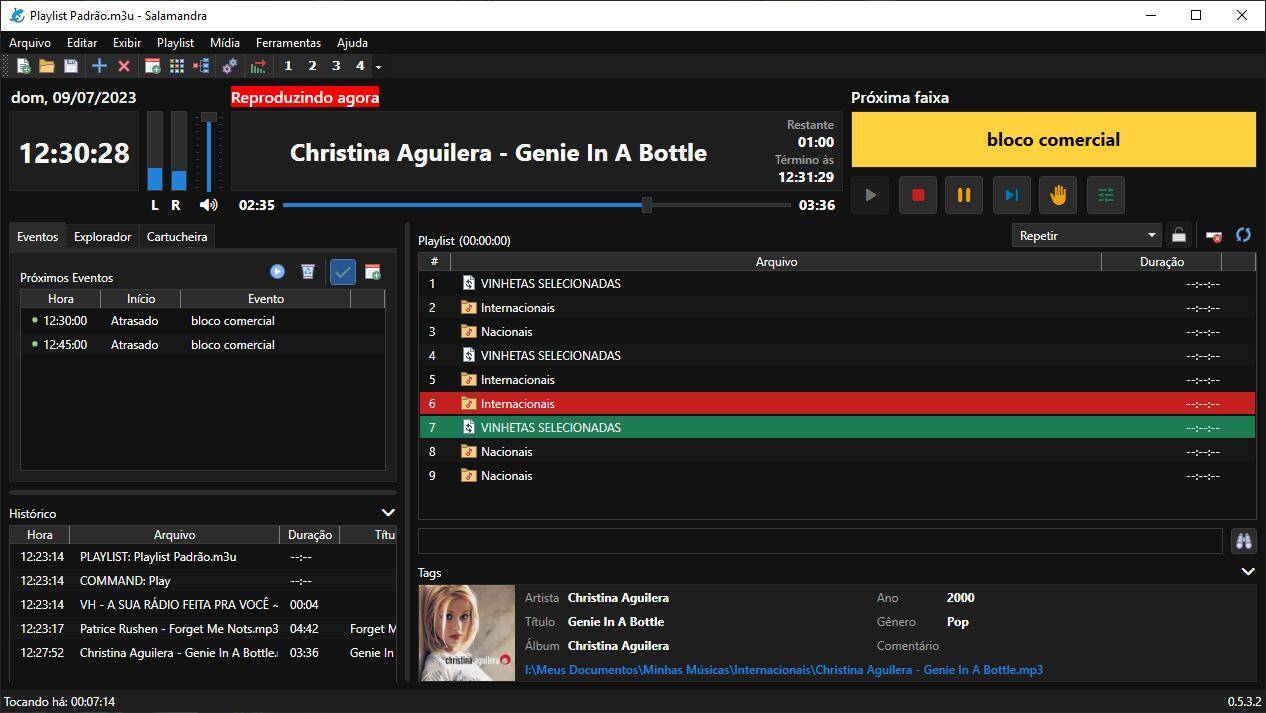
It runs in English and plays ZaraRadio files as well.
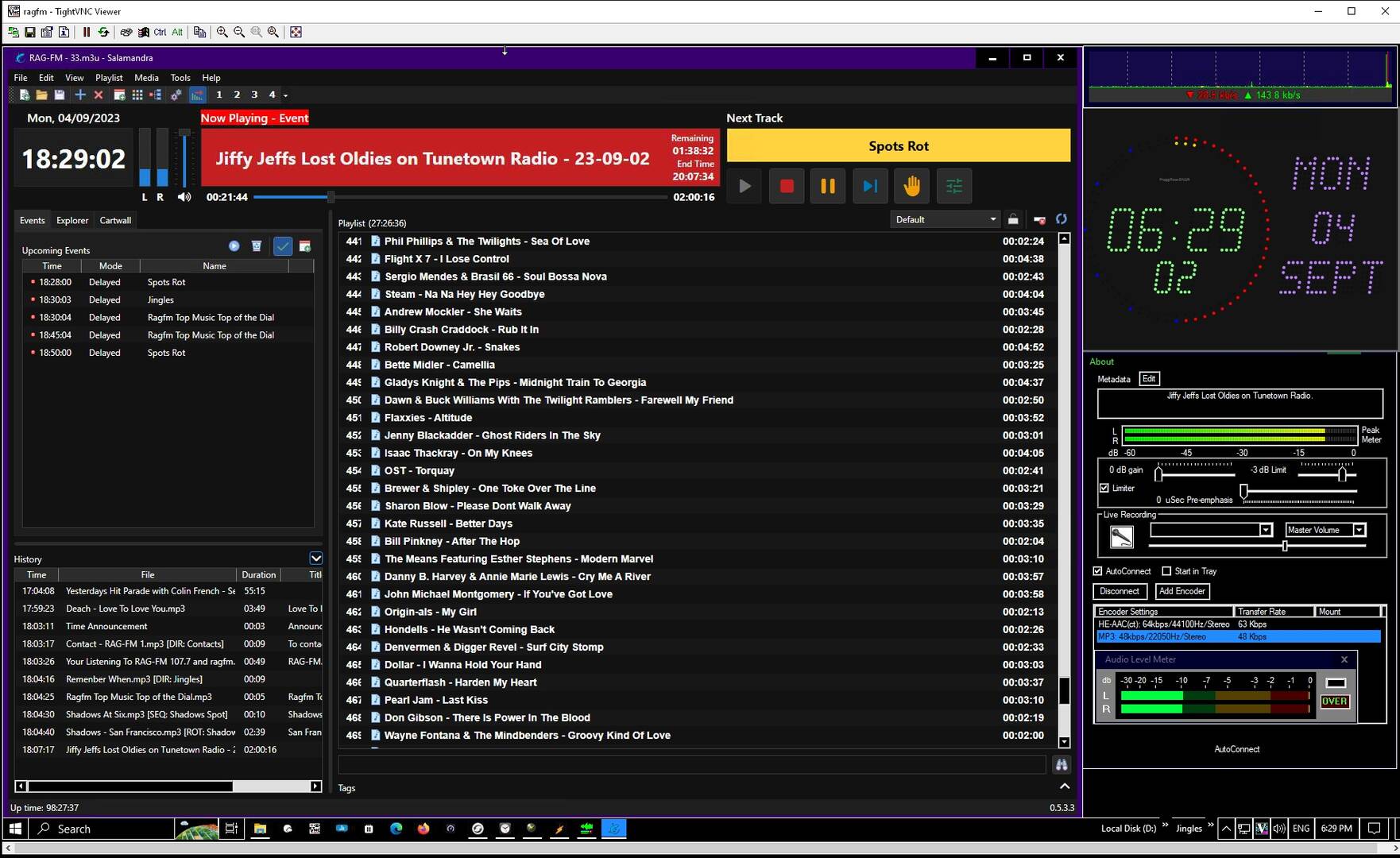
Heres it on RAG-FM in English.
Spectacular!
I think what you're saying, Johny, is that the 'Satellite' function in Zara does not work. The Winamp automation method you have invented is a very inventive way of patching the problem with a super workaround. Salamandra is our doorway into UPDATE LAND!
Part15dot Org brings it together!
Much appreciation.
Looked at Salamandra and it's not in English!
I used Play it live before but you can't back it up and put on another computer without "red tape" and needing a license key. But play it live was better at eliminating the silence at the beginning and end of tracks and automatically analyzing getting the right cue in points.
But because of the more complicated setting up events which I could never figure out even with attempted help and a hard time saving it on a back up installing on another computer if needed I stuck with Zara. Zara easily goes onto a USB drive and can easily be installed on a different computer in minutes and you have it forever even if the originator of the software dosen't' exist. That is a plus. You are not dependent on the program existing for new downloads. I have Zara forever. Something to consider.
For Mark... I am not trying to talk you out of sticking with Zara forever, but Salamandra is available in English, while it is produced in Brazil. About halfway down the homepage look for the tiny American flag next to the word 'English' and click on it.
@carl-blare
I never thought that. Just my take on Zara vs others like Play it Live.
It's good to have a program that's yours and can be backed up and reinstalled hassle free if you get a new computer.
@mark Theres help on the facebook page. Sometimes you have to use the translate button. The program is in English as well like Zara. Lots of things work the same as Zara and is easy to work out. Cross fading between the tracks is better than Zara. The program is still a work in progress and gets better with each update. You can just make a copy of the program and use that as a backup and keep all the settings, no need to install it again.

I checked the program out.
It looks and feels almost exactly like Zara.
One big difference, as Johny states, is that you can set it up to run on Windows startup, which is a big plus for Windows 10 and its forced updates. If you run Zara using Windows 7, that takes away the need for this feature.
There are a few additional options scattered around, most of which I wouldn't find any use for. I would hope that it fixes the Zara bug for outputs in Windows 7/10 - if you output to, say, a Virtual Audio Cable, Zara won't maintain that over program restarts. It looks like it does, but ends up outputting to, in my case, the standard output. After starting the program up again, you have to change the output device to something else, hit OK and then change it back again to what you really want it to be.
I note that the program doesn't seem to support Opus, at least according to the documentation. I still use mainly mp3, as it still has the widest compatibility across playback devices, most importantly, iPhones. I'd only use Opus as a secondary stream, but it can run at a much lower bitrate.
I personally don't see much point in switching over to this for my purposes unless I can get it to play Opus files.
OK, I just confirmed that, despite the documentation, Opus files can be played. I tested it out with some files encoded at 64kbps. And just to make sure (since Opus at higher bitrates is essentially Ogg), I also tested out some OTR at 16kbps to make use of the dedicated talk low bitrate codec in Opus. Again, it worked fine.
So it looks like I'll be investigating this software further.